Explore our campaign tools
Take a tour of the features designed to optimize your campaign from the desktop command center to field canvassing.
Everything your campaign needs
Built specifically for Grenada's 15-constituency electoral system, with polling division structures that match official PEO boundaries.
Full electoral roll, by division
Access the complete voter list for your constituency, broken down by polling division. Search by name or registration number and see address, sex and occupation — all within your secure session.
Support scoring
Tag each voter with a predicted support level: Strong support, Lean support, Undecided, Lean oppose or Strong oppose. Scores are colour-coded for at-a-glance reading during canvassing.
Team canvassing
Add your canvassing team once your account is set up. Every member works from the same live data — no spreadsheet merging, no double entry. Owners control who has access.
Division progress dashboard
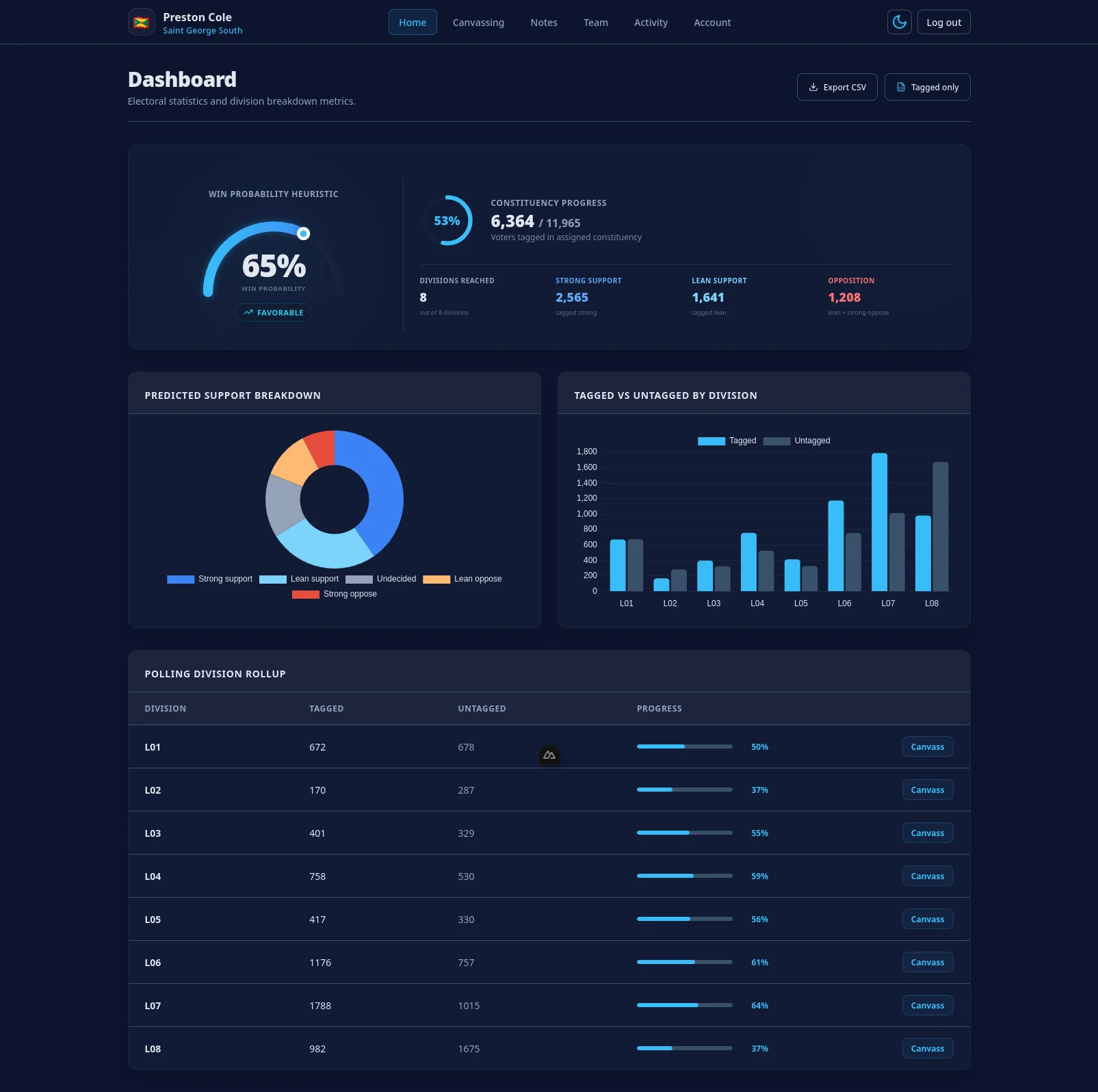
See tagged vs. untagged counts and a progress bar for every polling division in your constituency. A breakdown chart shows your predicted support distribution at a glance.
Follow-up flags
Mark voters for a callback with a single click. Filter your list to follow-ups only so your team knows exactly who needs a second visit.
Printable door-knock sheets
Generate a clean, print-ready voter list per polling division with a dedicated column for pen notes. Table headers repeat on every page. Take it to the field without a phone.
CSV export
Download the full voter list for any division — or your entire constituency — as a CSV. Filter to tagged voters only. Open in Excel or Google Sheets for further analysis.
Division team notes
Attach a sticky note to any polling division — visible to every member of your team. Use it for route tips, gate codes or local context your canvassers need to know before they knock.
Fully isolated per candidate
Your data is protected by Postgres row-level security enforced at the database level, not just in application code. No other candidate can see your tags, notes or team — even in the event of a server bug.
Simple setup in 4 steps
Get in touch
Reach out with your candidate or party details. We will set up your isolated instance and email you an invitation to establish your password.
Invite your canvassing team
Add volunteers and division coordinators. All members work from the same live data instantly — no spreadsheet merging, no duplicate entries.
Canvass in the field
Open voter lists by polling division on any mobile device. Set predicted support scores, flag follow-ups, or print sheets before you head out.
Monitor constituency progress
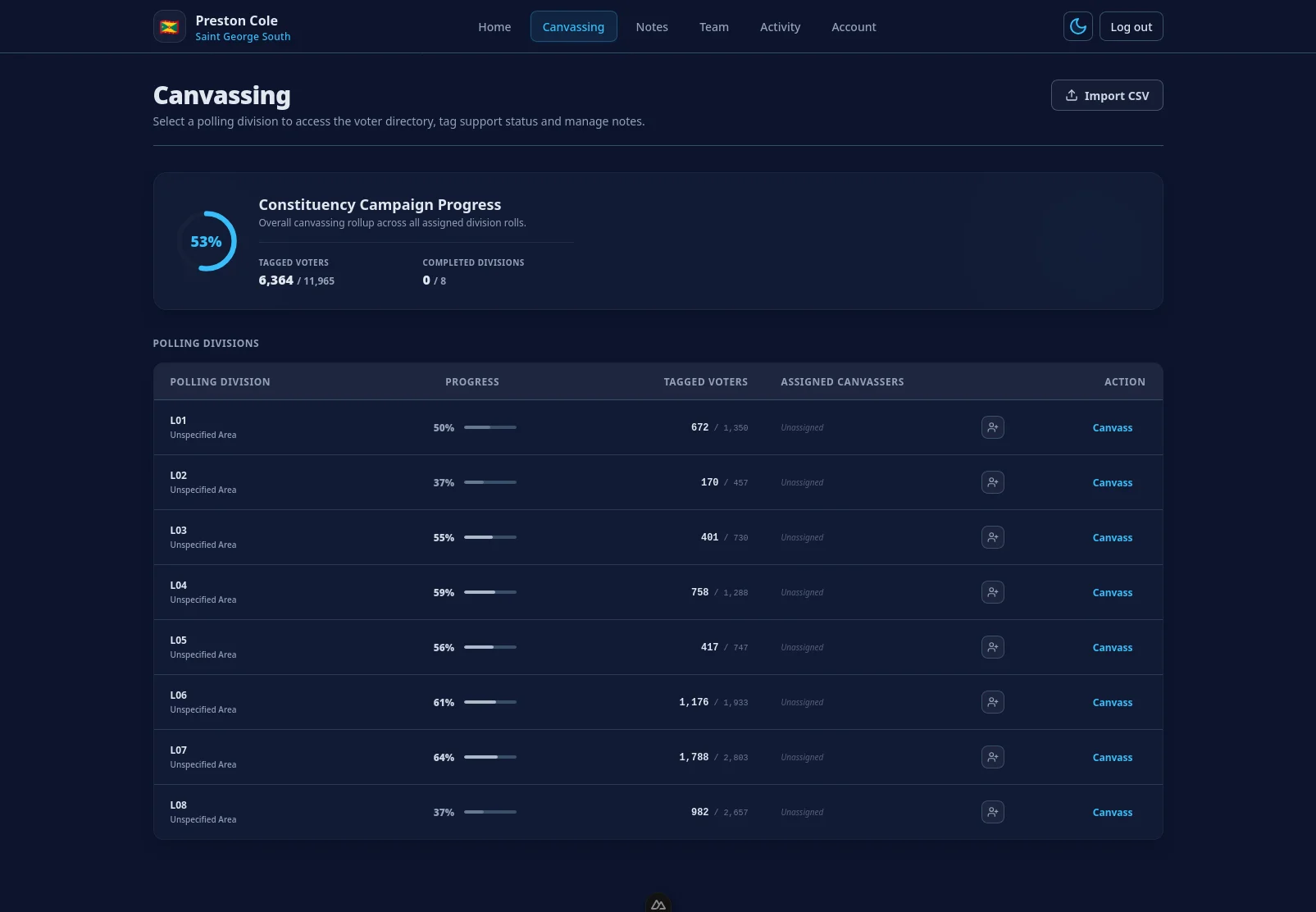
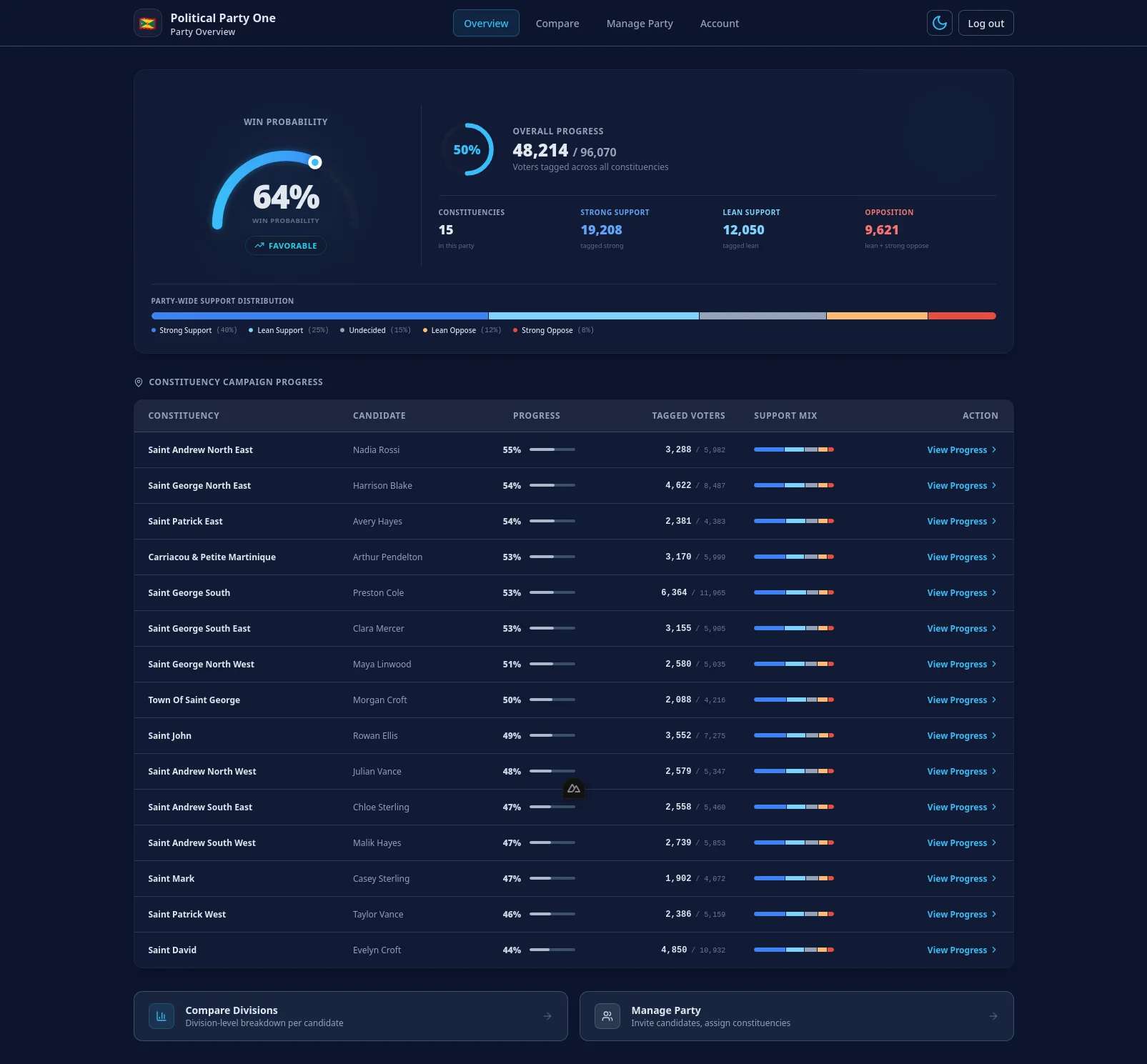
Track tagged counts and progress bars per polling division. View aggregate charts of support distribution instantly from your central home screen.
Deploy for your campaign
Whether you are a single candidate running in a key constituency or coordinating a nationwide campaign across multiple seats, we set up secure systems directly. Reach out for a custom setup.
Frequently asked questions
?Is the voter data up to date?
The platform uses the same electoral roll as this public site, updated continuously from PEO Grenada publications. The data reflects the most recent Consolidated List and any subsequent addenda.
?Can more than one person use the dashboard at the same time?
Yes. You can add canvassers to your team once your account is set up. All canvassers share one live view of the data — changes made by one canvasser appear immediately for everyone else.
?Is my data kept separate from other candidates?
Completely. Your tags, notes and team membership are isolated at the database level using Postgres row-level security. Another candidate logging in cannot access your data under any circumstances.
?What happens to my data after the election?
Your data remains in your account for as long as you have access. You can export everything as CSV at any time.
?Which constituency can I access?
Each account covers one constituency. You see only the voters in the polling divisions that belong to your assigned constituency.
Ready to win?
Equip your campaign with official electoral structures, division-by-division insight tracking, and isolated data containers.
Get Started Now